Calculates how fast the selected RealTime value changes. The ECU measures the difference between the current and previous value, applies exponential filtering, and scales the result to the selected time base.
Selectable scaling:
•1000 ms - change per second (resolution 0.1)
•100 ms - change per 0.1 second (resolution 0.1)
•10 ms - change per 0.01 second (resolution 1.0)
The result is limited to the range -32000 to 32000.
rate of change channel x
Name
Name of the rate of change channel, used for identification within MTune.
enable
Enable or disables the usage of the rate of change channel.
Variable
The input value to measure the rate of change of.
Warning/Note: When using a MaxxECU RealTime Data value in any in or output function, including comparing, the resolution (scaling) on all the values involved needs to use the same resolution values.

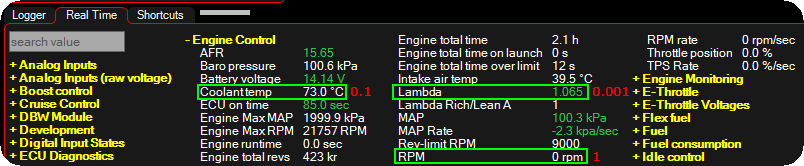

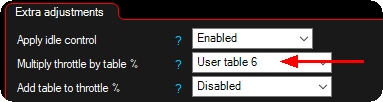
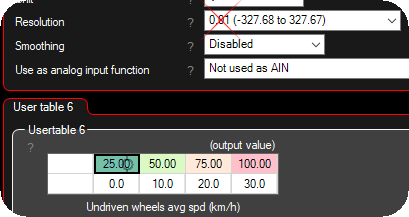
In short, always try to use the same resolution all over the sensors and tables. 0.1 is the most used resolution used across whole MaxxECU.
UNIT
The output rate of change channel can have a value of -3200.0 to 3200.0. The scaling setting sets the magnitude of this value, ie. if it represents change per second (a large value for a given change), or change per 10ms (a small value for the same change).
Set this setting so that the output rate of change has reasonable values (not too small, and to the min/max values).
Note: Fast changing values need this set to shorter time, slower values to longer.
exponential smoothing alpha
Filtering between 0% and 99%. Set to between 85 and 95 if filtering is necessary. Higher number --> More filter.
Examples
Adjust the boost controller by using the rate of change from a linear shock sensor
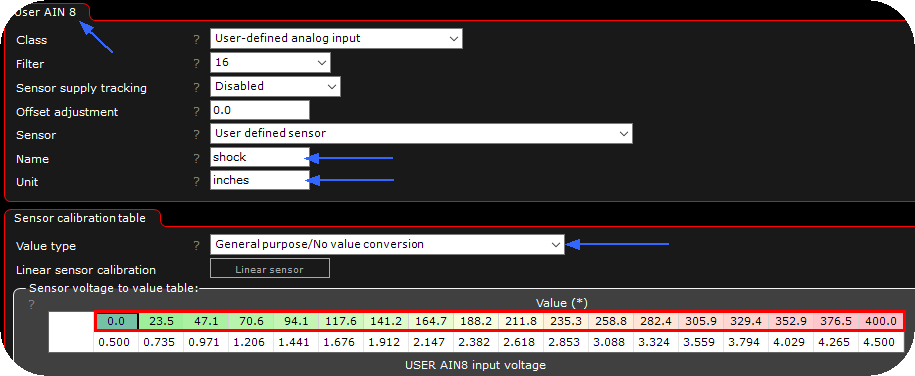
1. Enable an analog input channel and do the calibration. Inputs --> AIN x (0-5V).
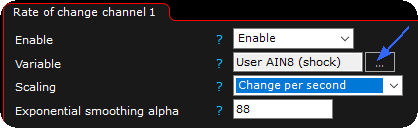
2. Head over to Advanced --> Rate of change, channel 1. Enable and change the Variable (input sensor) to the AIN 8 as we have used in this example.
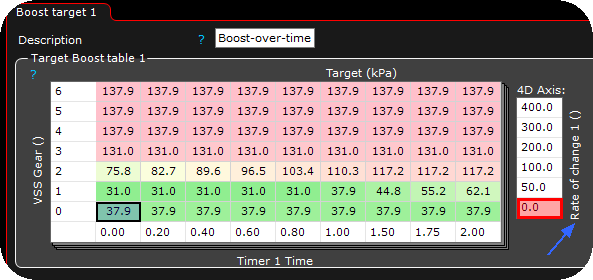
3. Add a 4D axis in the target boost table (or any other table if you need). In the above case you have 6 different "boost tables" which are interpolated between them based on the rate of change value.
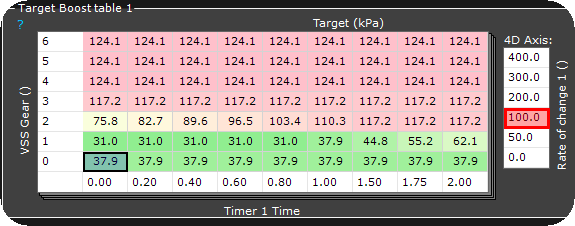
If you compare the above tables values at different rate of change values, you will have a different boost control strategy based on the rate of change value.