Hysteresis
Hysteresis prevents an output from rapidly switching on and off when the measured value is close to the activation point.
It does this by using different values for turning the output ON and OFF, creating a small deadband between the two switching points.

Example: The output turns ON above 90°C and OFF below 85°C, creating a 5°C hysteresis deadband.
Difference between two points, where something is switched on and off. Prevents outputs from rapidly change the state of output, close to switching point.
Frequency
How many times the signal repeats itself per second. A signals period is the actual time the signal takes to repeat itself.
Example
A signal of 20Hz will repeat 20 times per seconds and therefore have a period time of 0.05 seconds.
Pullup resistor
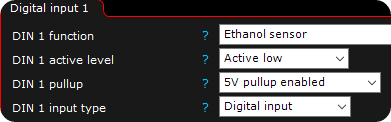
Pullup resistors are connected between the input and supply. Allows both high (+5V/+12V and low (0V) transducers to be connected to the MaxxECU. In the above example, by software a pullup resistor can be activated on certain input.
Example
A mechanical switch is connected to digital input, and the other side of switch is ground. Without a pullup resistor a change on the mechanical switch wont make a difference on the MaxxECU digital input.
When a pullup resistor is connected/enabled and switch is open, MaxxECU digital pin is high (+5V or +12V). When the switch is closed, MaxxECU digital input is grounded.
Linear interpolation
A method to calculate unknown values between two known points in table.
Example
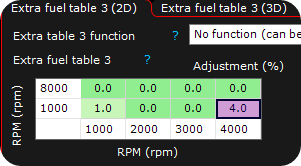
In the above example, we have changed the low and high RPM values, and want MTune to do the calculation between the zero cells.
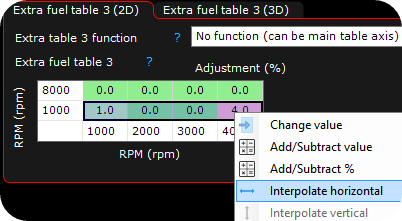
Select the cell which should be interpolated, in this case select interpolate horizontal and click.
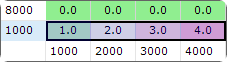
Final result after interpolation.
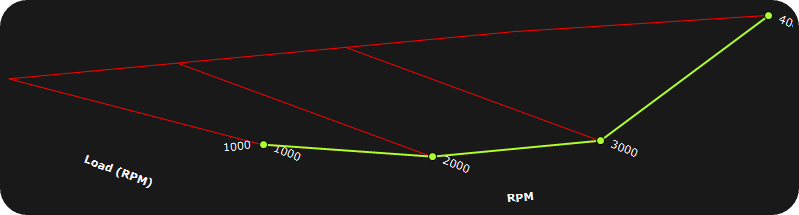
Same can be done in 3D surface tuning operations. Select points and press "H" for horizontal, or "V" for vertical interpolation.
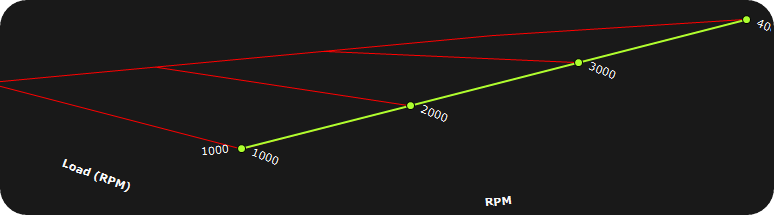
Result after interpolation in 3D.